Move from StrokeIt to Mousetroke: free Lua and business use
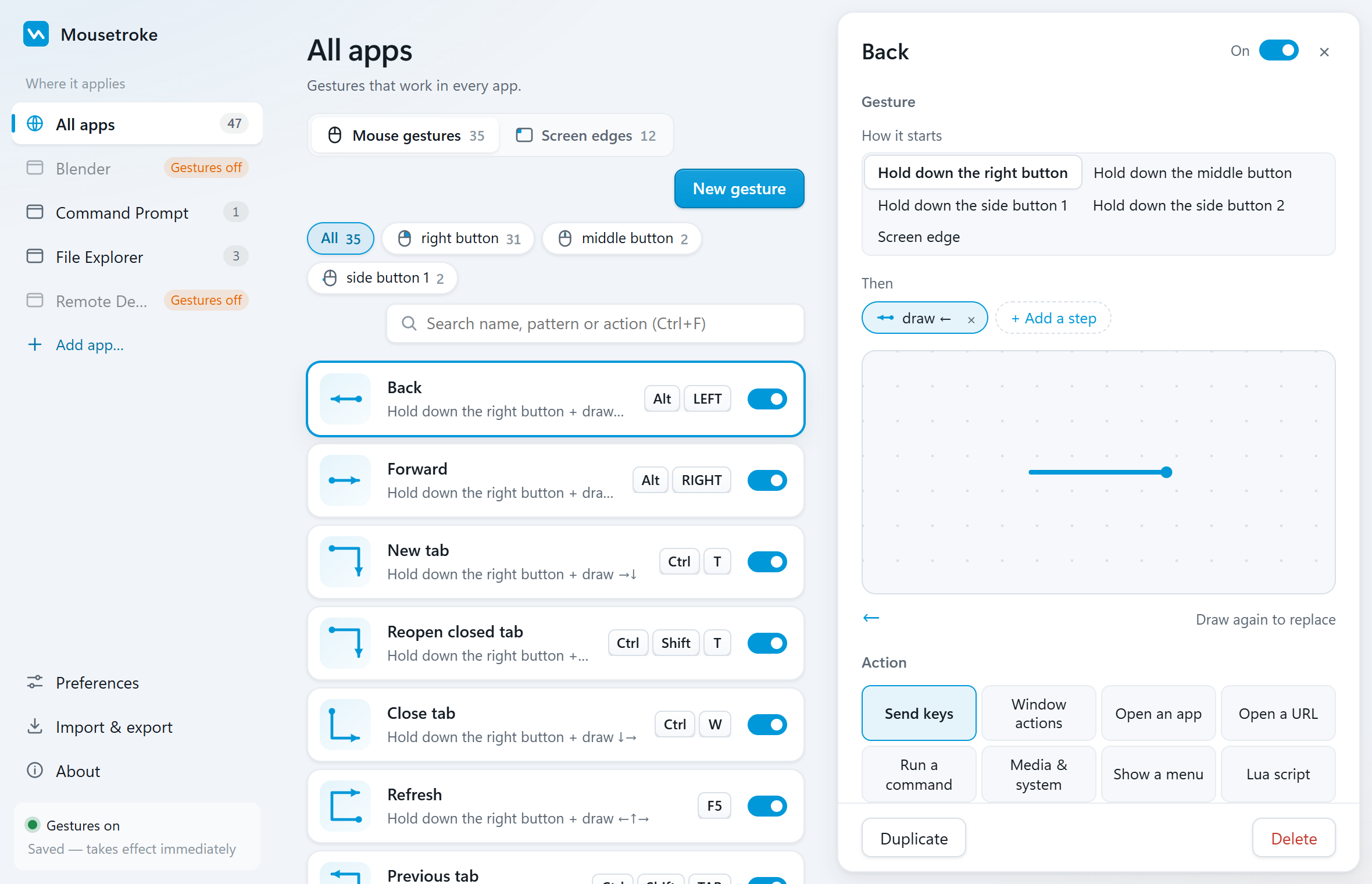
Mousetroke brings familiar mouse strokes to an explicitly supported Windows 11 setup. Business use and Lua are free, with screen corners, per-app rules and a modern settings UI.
Mac support is in active development, with a beta available now.
Compare the facts
| Feature | Mousetroke | StrokeIt |
|---|---|---|
| Platforms | Windows 10 1809+/11 x64; macOS 11+ (Apple silicon & Intel, beta) | Windows; site mentions Win95–Win7 |
| Price, business use & license | Free for everyone, including business use; MIT open source; no ads, account or telemetry | Free for individual and eligible nonprofit charity use; business, government and education require a license (as of 2026-10-21) |
| Maintenance / latest release | v0.2.1 · 2026-10-20 | Official site lists 0.9.7 |
| System-wide or browser-only | System-wide; per-app rules and exclusions | Mouse gestures to control Windows applications |
| Scripting & actions | Lua; 8 action types: send keys, window actions, open an app, open a URL, run a command, media & system, show a menu, Lua script | Lua scripting in the Professional edition |
| Screen corners & edges | Hot corners; edge wheel, click and rub actions; Windows brightness supports DDC/CI external monitors | — |
| Touchpad & touchscreen | Right/middle/X1/X2 mouse-button strokes; no native multi-finger touch gestures | — |
| Installation | Windows: 13.2 MB portable exe, settings use system WebView2; Mac beta: 8.1 MB DMG | Windows exe installer |
Based on the official sites, checked 2026-10-21. "—" = not stated there.
Choose for your needs
Choose Mousetroke if…
- Free for individuals, businesses, government and education under MIT.
- Lua for everyone, plus direct key, window and popup-menu actions.
- Explicit Windows 11 support, v0.2.1 released 2026-10-20, in-app updates on both platforms.
- Corner and edge actions, per-app rules and settings in 10 languages.
When StrokeIt fits better
A workflow built around StrokeIt-specific plugins may need its existing plugin environment during migration.
Differences in daily use
Moving to Mousetroke gives you directly configurable shortcuts, window control and Lua, free for business use too. Windows 11 is explicitly supported; the Windows download is a 13.2 MB portable exe, with settings running only while open. Per-app rules change an action by app, while edges can adjust volume and brightness.
StrokeIt's site lists 0.9.7 and mentions Win95–Win7. It is free for individuals and eligible nonprofit charities; business, government and education use require a license. Lua is a Professional-edition feature, and the site also describes plugin extensions.
Start with Mousetroke's roughly 50 editable built-in gestures for Back, Close Tab and window tasks, then add app rules and Lua. Rebuild and test tasks involving StrokeIt plugins individually; do not assume old plugins or scripts run unchanged.
Frequently asked questions
What is a good StrokeIt alternative for Windows 11?
Mousetroke. It explicitly supports Windows 11, is free for business use and includes Lua for everyone. It also adds screen corners, per-app rules and actively updated settings in 10 languages.
Can I use Mousetroke free at a company or school?
Yes. Its MIT license allows business use; business, government and education use are all free. Lua has no paid-edition restriction, and there are no ads, account or telemetry.
How do I configure Mousetroke for different apps?
Add an app with Pick a window and assign its own actions. You can turn off global-rule inheritance or disable gestures entirely for that app. Gestures pause automatically for fullscreen games, videos and presentations.
Start with one everyday gesture
Go back, close a tab, manage a window or trigger an action from a screen corner. About 19 MB resident on Windows and 13 MB on Mac.
Unsigned Windows exe: SmartScreen may appear on first run (More info → Run anyway). Mac beta: if first open is blocked, use Privacy & Security → Open Anyway, then follow setup.
Sources
Sources: the StrokeIt official site and the Mousetroke changelog. Last checked .