Move from MouseInc to focused gestures with Mousetroke
Bring everyday strokes and screen corners into Mousetroke: free MIT source, a portable Windows app and per-app actions. Version 0.2.1 shipped on 2026-10-20, with one-click in-app updates.
Mac support is in active development, with a beta available now.
Compare the facts
| Feature | Mousetroke | MouseInc | Aitiy |
|---|---|---|---|
| Platforms | Windows 10 1809+/11 x64; macOS 11+ (Apple silicon & Intel, beta) | — | Windows 10/11 x64; macOS 11+, Intel and Apple silicon |
| Price, business use & license | Free for everyone, including business use; MIT open source; no ads, account or telemetry | — | Free for personal use (as of 2026-10-21) |
| Maintenance / latest release | v0.2.1 · 2026-10-20 | — | Official site displays v1.0.13 |
| System-wide or browser-only | System-wide; per-app rules and exclusions | — | Global/per-app mouse gestures, hotkeys, screenshots and OCR |
| Scripting & actions | Lua; 8 action types: send keys, window actions, open an app, open a URL, run a command, media & system, show a menu, Lua script | — | Lua action engine with editor completion |
| Screen corners & edges | Hot corners; edge wheel, click and rub actions; Windows brightness supports DDC/CI external monitors | — | Screen edges and hot corners |
| Touchpad & touchscreen | Right/middle/X1/X2 mouse-button strokes; no native multi-finger touch gestures | — | — |
| Installation | Windows: 13.2 MB portable exe, settings use system WebView2; Mac beta: 8.1 MB DMG | — | Windows: extract and run exe; Mac: extract app and move to Applications; configurable portable mode |
Based on the official sites, checked 2026-10-21. "—" = not stated there.
Choose for your needs
Choose Mousetroke if…
- Actively maintained: v0.2.1 shipped 2026-10-20; Windows and Mac have in-app updates.
- MIT source, free business use, no ads, account or telemetry.
- A 13.2 MB portable Windows exe, about 19 MB resident and no CPU when idle.
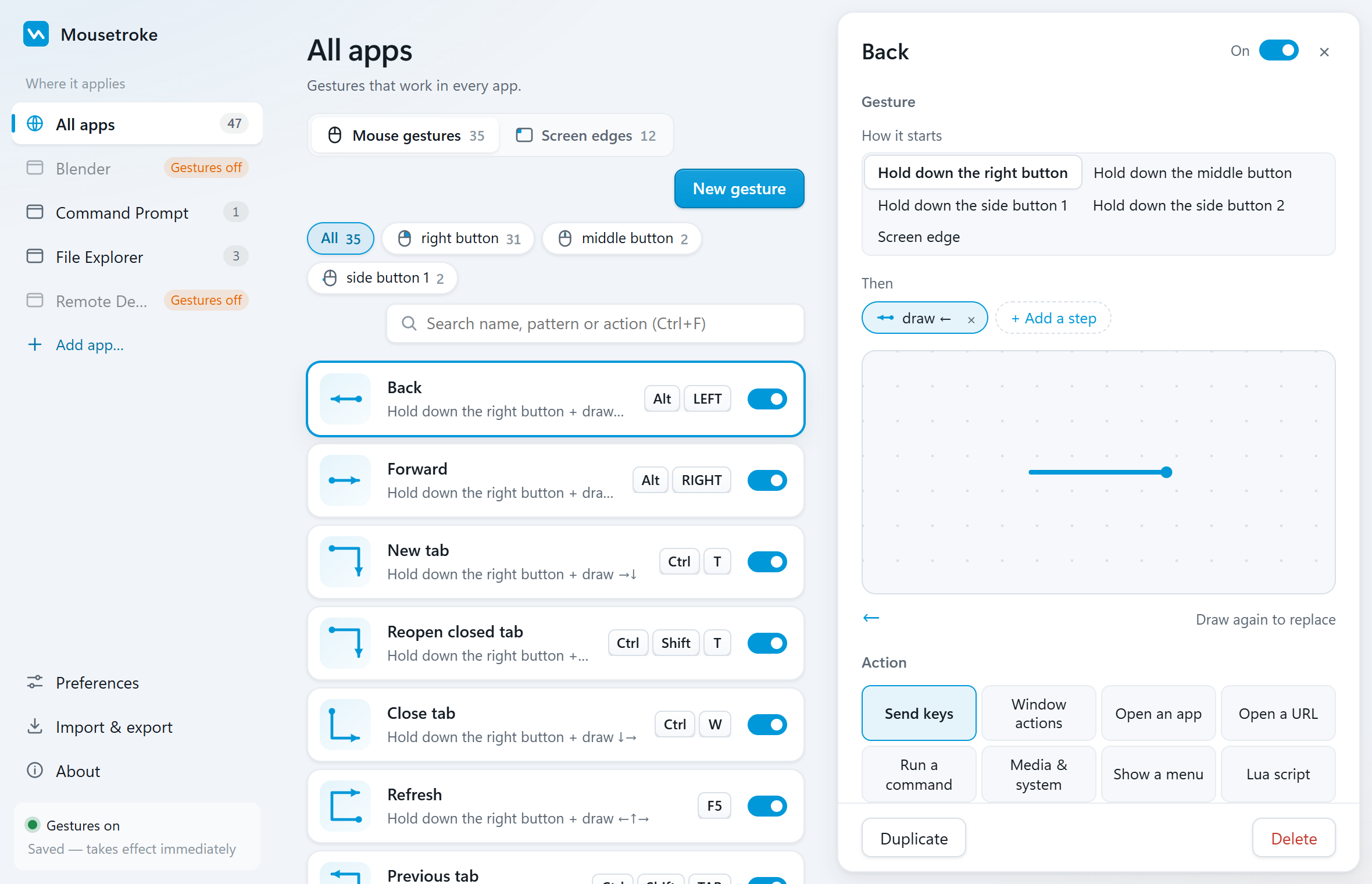
- Focused gestures and corners, about 50 editable built-in strokes, app rules and Lua.
When MouseInc / Aitiy fits better
If your core need is screenshots, OCR and gestures in one app, Aitiy provides that desktop toolkit.
Differences in daily use
Moving to Mousetroke gives everyday gestures, window tasks and screen corners an actively maintained MIT app. Windows ships as one portable exe, uses about 19 MB resident memory and runs its settings window only while open. Built-in gestures, Lua and per-app rules are free for everyone.
MouseInc's former product URL now redirects to the archived, read-only MouseInc.Settings repository. The product's official status is unclear; a settings repository alone does not establish its features or license. Aitiy offers gestures, screenshots, OCR and Lua on Windows and macOS, with free personal use stated on its site.
List your three to five daily MouseInc actions and rebuild them with Mousetroke key, window or app-launch actions, then add corners and app rules. No direct compatibility between their configuration formats is assumed here.
Frequently asked questions
What is a good MouseInc alternative for Windows 11?
Mousetroke. It explicitly supports Windows 11, is actively maintained and MIT-licensed. Its portable exe, about 50 editable gestures and screen corners help rebuild daily mouse tasks.
Does Mousetroke charge a fee or require an account?
No. It is free including business use, with no account, ads or telemetry. Daily GitHub update checks can be disabled in Preferences. Windows and Mac beta both support one-click in-app updates.
How much memory and CPU does Mousetroke use?
The Windows engine measures about 19 MB working set; Mac uses about 13 MB physical footprint. Both use no CPU when idle. Windows settings run in a separate process only while open and exit when closed.
Start with one everyday gesture
Go back, close a tab, manage a window or trigger an action from a screen corner. About 19 MB resident on Windows and 13 MB on Mac.
Unsigned Windows exe: SmartScreen may appear on first run (More info → Run anyway). Mac beta: if first open is blocked, use Privacy & Security → Open Anyway, then follow setup.
Sources
Sources: the MouseInc and Aitiy official sites and the Mousetroke changelog. Last checked .