Take one gesture setup beyond the browser with Mousetroke
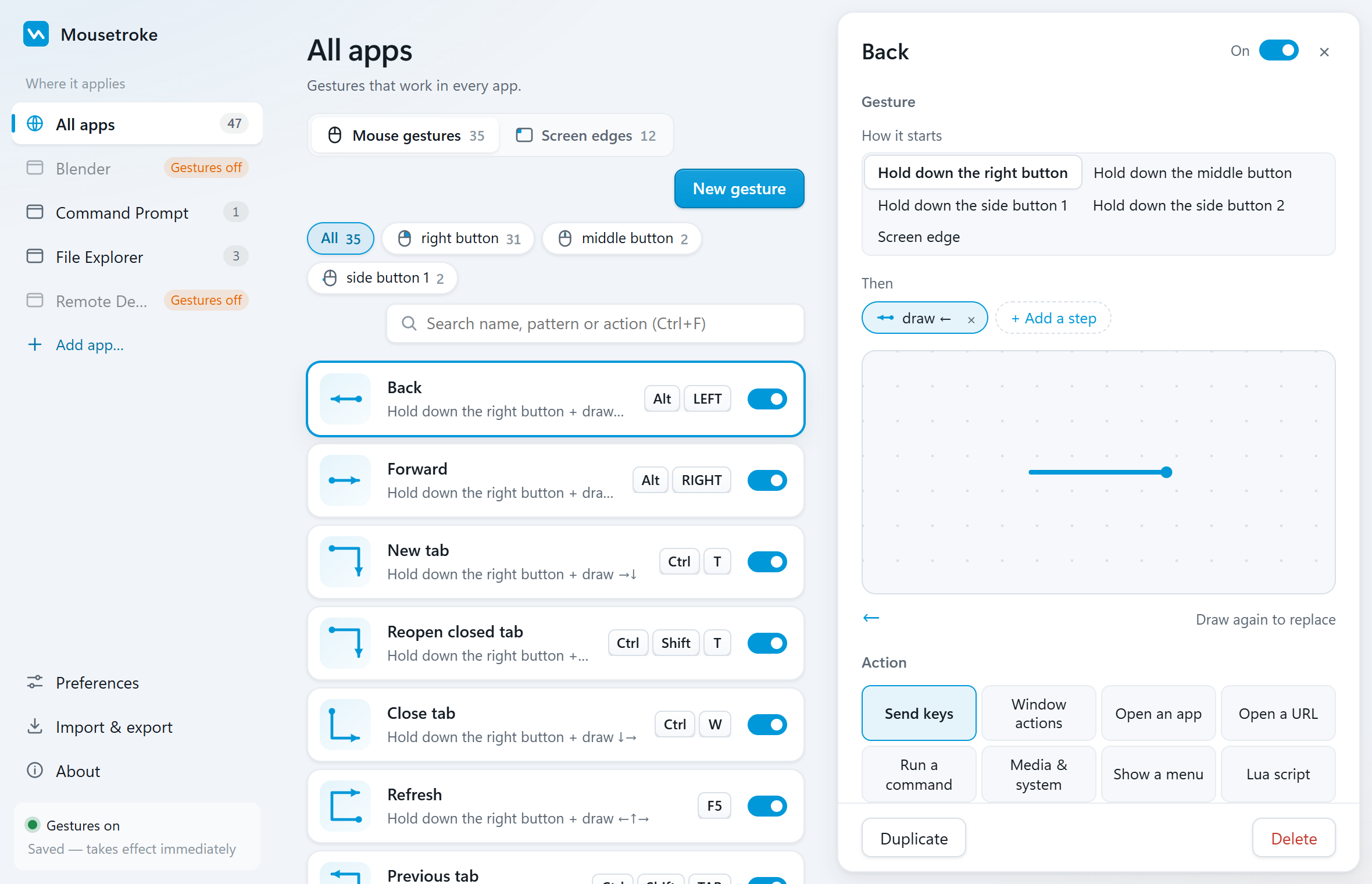
Mousetroke brings Back, Close Tab and window actions to different browsers, file managers and desktop apps with one configuration. System-level strokes also work on extension-restricted pages, with screen corners added. It is free and MIT-licensed.
Mac support is in active development, with a beta available now.
Compare the facts
| Feature | Mousetroke | Gesturefy | CrxMouse |
|---|---|---|---|
| Platforms | Windows 10 1809+/11 x64; macOS 11+ (Apple silicon & Intel, beta) | Firefox extension | Desktop Chrome extension |
| Price, business use & license | Free for everyone, including business use; MIT open source; no ads, account or telemetry | GPL-3.0 open source | — |
| Maintenance / latest release | v0.2.1 · 2026-10-20 | v3.2.19 · 2026-09-25 | — |
| System-wide or browser-only | System-wide; per-app rules and exclusions | Browser web pages; excludes about:addons, restricted Mozilla pages and similar pages | Browser navigation, tabs and custom gestures |
| Scripting & actions | Lua; 8 action types: send keys, window actions, open an app, open a URL, run a command, media & system, show a menu, Lua script | User script, multi-purpose and cross-addon commands | — |
| Screen corners & edges | Hot corners; edge wheel, click and rub actions; Windows brightness supports DDC/CI external monitors | — | — |
| Touchpad & touchscreen | Right/middle/X1/X2 mouse-button strokes; no native multi-finger touch gestures | Official README says mice only, not suited to touchpads | — |
| Installation | Windows: 13.2 MB portable exe, settings use system WebView2; Mac beta: 8.1 MB DMG | Firefox add-on; no separate desktop app | Chrome browser extension |
Based on the official sites, checked 2026-10-21. "—" = not stated there.
Choose for your needs
Choose Mousetroke if…
- One configuration across browsers and desktop apps, without a gesture extension in each.
- System-level shortcuts work on extension-restricted pages such as Firefox about:addons.
- Configure file-manager tasks, window control and screen corners in one tool.
- Adjust or disable rules per app, on Windows 11 and Mac beta.
When Gesturefy / CrxMouse fits better
If your core need stays entirely within web pages and tabs, Gesturefy or CrxMouse can handle those tasks in the relevant browser.
Differences in daily use
Moving to Mousetroke lets browser shortcuts such as Back and Close Tab share one gesture configuration with file managers and desktop apps. It handles input at the system level, so sending shortcuts does not depend on extension injection and works on restricted pages such as Firefox about:addons. Each action still depends on the target app's shortcuts. Screen corners add desktop, volume and window actions.
Gesturefy is a Firefox mouse gesture extension with page actions, user scripts and cross-addon commands. Its README explicitly excludes about:addons and restricted Mozilla pages. CrxMouse provides navigation, tab controls and custom gestures in desktop Chrome.
Rebuild Back, Forward and Close Tab in Mousetroke, then add dedicated file-manager and app rules, disabling conflicts where needed. Evaluate DOM-based or extension-specific commands separately; they are not automatically equivalent to system shortcuts.
Frequently asked questions
What is a good Gesturefy or CrxMouse alternative for Windows 11?
Mousetroke. One configuration covers different browsers and desktop apps, system-level shortcuts work on extension-restricted pages, and screen corners add actions beyond the browser.
Can Mousetroke use gestures on Firefox about:addons?
Yes, to send shortcuts that the page supports, such as Close Tab. Mousetroke handles input at the system level without page injection. Gesturefy's README says it cannot run on about:addons.
Can a browser and file manager share Mousetroke gestures?
Yes. Use global rules for Back, Forward or window shortcuts, then add app-specific actions or disable conflicting rules. Defaults include Back and Forward in Windows File Explorer and Finder in the Mac beta.
Start with one everyday gesture
Go back, close a tab, manage a window or trigger an action from a screen corner. About 19 MB resident on Windows and 13 MB on Mac.
Unsigned Windows exe: SmartScreen may appear on first run (More info → Run anyway). Mac beta: if first open is blocked, use Privacy & Security → Open Anyway, then follow setup.
Sources
Sources: the Gesturefy and CrxMouse official sites and the Mousetroke changelog. Last checked .